It is easier to serve or build styles inside your app with the default configurations. Once you scaffold an application, the styles are available at {projectRoot}/src/styles.scss.
However, in the case of large applications, there will be a requirement for sharing styles across your libraries and including them as part of the main application build process.
Creating a shared UI library containing variables, mixins, and shared component-specific styles is helpful.
So we will learn how to include styles from an NX library into our application.
Now, let’s add the instructions to tell angular compiler to set libs/linkinbio/ui/shared/src/styles as one of the paths to look for for our new styles.
To do that, we will add the following stylePreprocessorOptions property to projects/linkinbio/project.json file.
It is important to note that I have added a distinct folder, linkinbio-ui-shared, inside the library styles folder. This is because, in the future, it is likely I will need to import styles from other libraries too.
To ensure the names of the shared styles do not collide with one another, I have chosen to namespace them by putting them in their own unique project name.
I had to take a break! I was working from early in the morning and was finishing Statusbrew tasks until late at night before I could get back home to figure out what to write about the blog and then code/screenshot/document and write about it.
I was up until 2 am consistently for the whole week. I was drained a lot on Wednesday, thinking I would write the blog upon waking up, and, predictably, that didn’t happen.
I would only delay this process for a while, but it won’t be canceled. I want to write daily. I want to build up this habit and do this consistently. A cliché but giving up isn’t an option.
I have to mention that writing regularly is one of the things I want to do, me prioritizing Statusbrew tasks, which is for sure would be my priority, is another way to ensure I get done with the complicated Statusbrew tasks so that I can come back to writing as quickly as possible with a more bandwidth.
Another goal of mine is to return to Sales and Marketing by the end of this month. Looking at the current pace of tasks, it seems unlikely I would be done by the end of the month, but the deviation would probably be for about a week. This doesn’t mean that the Statusbrew tasks will entirely disappear. It just means that I would focus on mentoring & quality control in development while spending significantly more time on Sales.
Getting back to the challenge now. Day 4 it is.
Today, I want to set up an Angular application inside our nx monorepo.
My goal in the next few days is to learn the following concepts/frameworks and combine them to build the application:
SSR – Server-Side Rendering (
Angular
)
PWA – Progressive Web Application (
Angular
)
NestJS
Storybook
(with
Compodoc
)
Testing (
Angular
&
NestJS
)
Railway
While considering the type of application to cover the above, apart from the de-facto todos app, I want to build something that can align with what we can use at Statusbrew. There is one app idea I think may require integration across all the above – Link In Bio.
It has been asked by a few of our clients already. Quite simply, some brands like to share a page on their bio containing some of the most common links to their brand web pages, social profiles, news articles, and dynamic content, such as links to the latest blog posts, giveaways, etc.
There are some great apps already out there. e.g. https://lnk.bio/ is simple yet filled with compelling features like sync with the latest YouTube videos, and stats.
I plan to eventually have similar features more aligned with our clients’ preferences. Thinking about it in detail feels like a year-long project, but we would start with the basics here and add more features as we move along.
Today, we will bootstrap 2 angular entities, a library, and an app, and use the incremental build feature to build both.
We will start by installing nx angular dependency on our project. I initially tried using the console with the following commands but it seems the workflow to initialize the app afterward is not well laid out.
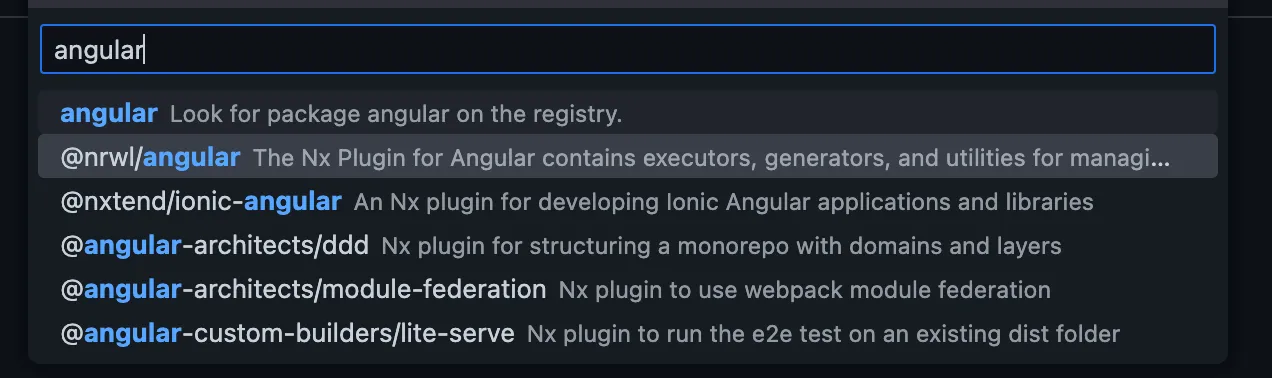
I had to use the NX Console extension to add the dependency properly. You can find more information here.
Let’s just go ahead and add the nx angular depenency to our project.
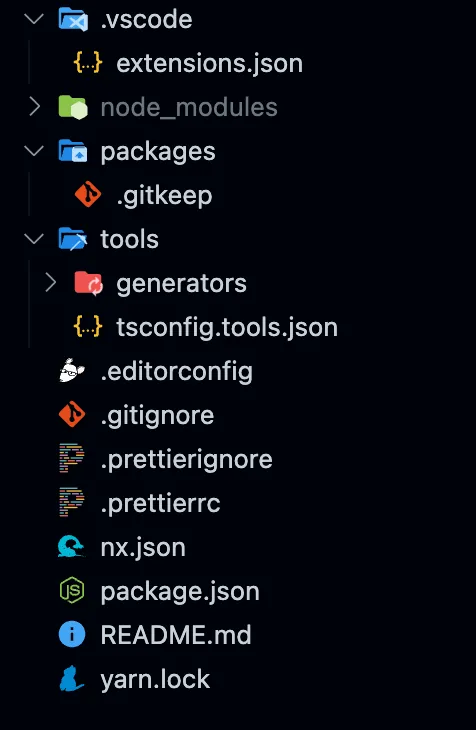
Let it go through the process and modify the repository. You will see changes to package.json, nx.json, .gitignore, and .vscode/extenstions.json. You will also find some jest.* files added.
Here are the commands that it seems to have run in the process
$ yarn add -D -W @nrwl/angular
$ yarn nx g @nrwl/angular:init --interactive=false
We will make some changes to the nx.json file related to generator configs that would look like this
{
"generators": {
"@nrwl/angular:application": {
"style": "scss",
"linter": "eslint",
"unitTestRunner": "jest",
"e2eTestRunner": "cypress",
"strict": true,
"prefix": "rm",
"standalone": true
},
"@nrwl/angular:library": {
"linter": "eslint",
"unitTestRunner": "jest",
"strict": true,
"prefix": "rm",
"style": "scss",
"changeDetection": "OnPush",
"standalone": true
},
"@nrwl/angular:component": {
"style": "scss",
"prefix": "rm",
"changeDetection": "OnPush",
"standalone": true
}
}
}
Now, we will generate a ui library for linkinbio. I would be using the UI to create the lib, which would use the following command.
$ yarn nx generate @nrwl/angular:library shared \
--buildable \
--directory=linkinbio/ui \
--no-interactive
Our new library is now available at /libs/linkinbio/ui/shared.
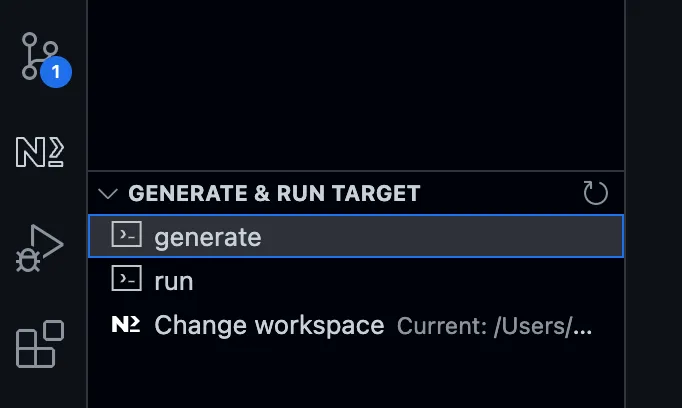
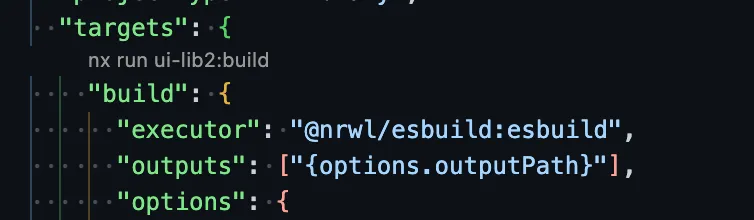
You can now quickly build the library using the nx-console, project.json or with the following command
$ nx build linkinbio-ui-shared
Now, let’s quickly create a new application. Again, I will use nx-console to initialize the app, which eventually uses the following command.
$ nx generate @nrwl/angular:application linkinbio
I learned that we must manually add the missing @angular-eslint/eslint-plugin since it is not added after scaffolding. Let’s add that package too.
$ yarn add -D @angular-eslint/eslint-plugin
Now, we can launch the newly created app
$ nx serve linkinbio
Let’s make the following changes to the app
Add
imports: [LinkinbioUiSharedComponent]
to
app.component.ts
Update the content of
app.component.html
to just [
]
Remove
nx-welcome.component.ts
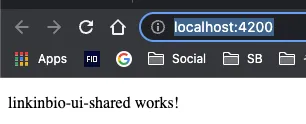
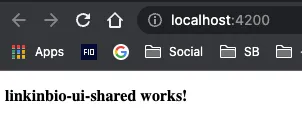
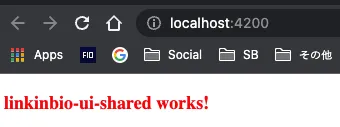
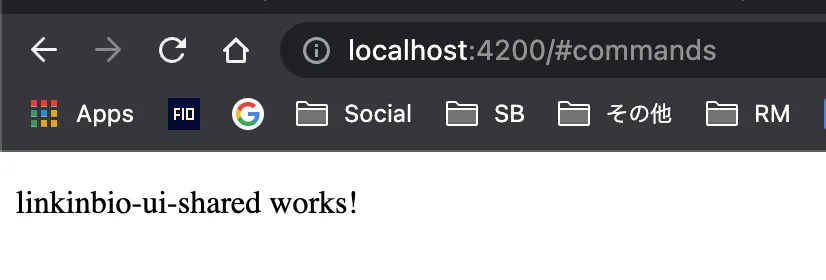
You can see our app successfully imported a component from a library project.
Let us build the app to ensure proper library imports as well as incremental builds.
$ nx build linkinbio
✔ 1/1 dependent project tasks succeeded [0 read from cache]
Hint: you can run the command with --verbose to see the full dependent project outputs
I would create and use a custom eslint-plugin in our upcoming libraries & projects. Our goal with the eslint-plugin library will be to share reusable eslint configurations.
Before we generate any new library, I want to change the configuration of nx to add new libraries to the /libs folder and new projects to the /projects folder. Update the nx.json file to reflect the following:
{
.
"workspaceLayout": {
"appsDir": "projects",
"libsDir": "libs"
}
.
}
Next, we will generate 2 ui libraries by running the following commands.
This will be the root Typescript configuration for our project. All future libraries or projects will be extending this configuration.
The important section to note is paths where we can see our newly added library mentioned.
There will be 3 files related to eslint that are added to our repository.
/.eslintrc.json
/.eslintignore
/libs/ui-lib{1,2}/.eslintrc.json
There are 2 essential things to note about the root .eslintrc.json.
nx’ eslint-rule:
@nrwl/nx/enforce-module-boundaries
This handy rule triggers warnings if we have circular dependencies in our libraries or projects. You can read more about the rule
here
By default, the whole repository is marked as ignored with
“ignorePatterns”: [”**/*”]
. Every individual library or project does the opposite and marks themselves as not ignored in their respective
.eslintrc.json
configurations
Besides ignorePatterns in the .eslintrc.json file, we also see a .eslintignore file that contains more file patterns to be ignored globally.
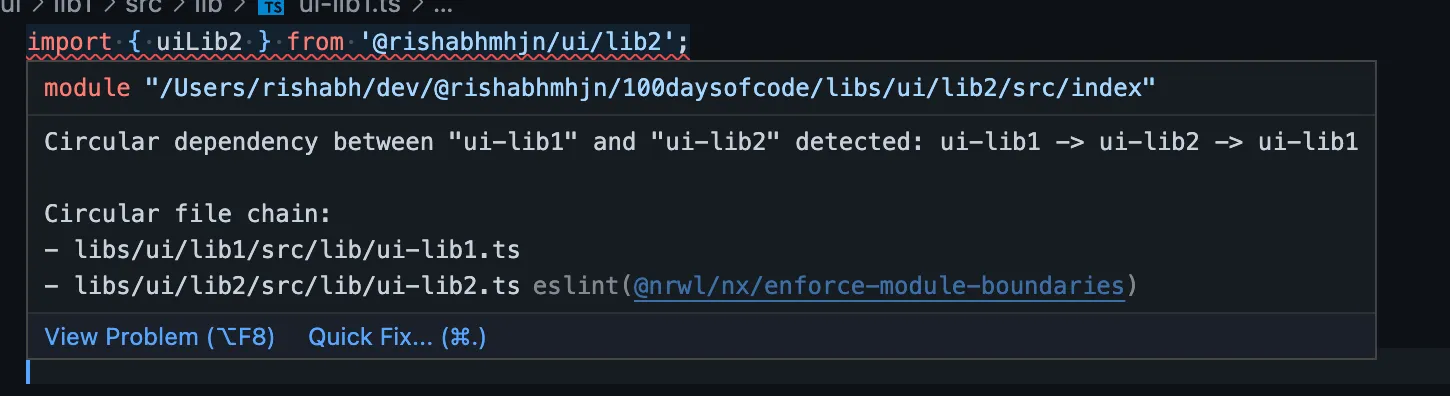
Now, we will quickly test the @nrwl/nx/enforce-module-boundaries rule by updating the following 2 files:
/libs/ui/lib1/src/lib/ui-lib1.ts
import { uiLib2 } from '@rishabhmhjn/ui/lib2';
export function uiLib1(): string {
return 'ui-lib1';
}
export function testBoundaries() {
return uiLib2();
}
/libs/ui/lib2/src/lib/ui-lib2.ts
import { uiLib1 } from '@rishabhmhjn/ui/lib1';
export function uiLib2(): string {
return 'ui-lib2';
}
export function testBoundaries() {
return uiLib1();
}
We can see that the eslint extension will be showing an error:
This means our eslint setup is working!
We can also see that the warning goes off if we deactivate the rule in the root .eslintrc.json config
{
"@nrwl/nx/enforce-module-boundaries": [
"off",
{...}
}
Now we can create our shared eslint-plugin library where will move the @nrwl/nx/enforce-module-boundaries.
Let’s create a new library: @rishabhmhjn/eslint-config.
$ nx generate @nrwl/js:library eslint-plugin \
--unitTestRunner=none \
--bundler=esbuild \
--directory=etc \
--importPath=@rishabhmhjn/eslint-plugin \
--js \
--no-interactive
It is essential to know that eslint-plugin can only use configs exposed from other npm packages and not via the typescript’s paths configuration.
Since we will add our newly added library as a linked package directly into our root package.json, we can choose to remove the path entry from the tsconfig.base.json file.
tsconfig.base.json
{
"paths": {
"@rishabhmhjn/eslint-plugin": ["libs/etc/eslint-plugin/src/index.ts"], // You may remove this line
Our package name is already set to what we need, so we do not require any change here.
{
"name": "@rishabhmhjn/eslint-plugin",
"version": "0.0.1",
"type": "commonjs"
}
We will add the new library as a yarn-linked package with the following command.
$ yarn add link:./libs/etc/eslint-plugin -D
This will create a new entry "@rishabhmhjn/eslint-plugin": "link:./libs/etc/eslint-plugin" in the devDependencies of the root package.json file.
Now let’s make the following changes to our repository:
Update
libs/etc/eslint-plugin/package.json
This exposes our main
index.js
file that will export our shared eslint configs.
{
"name": "@rishabhmhjn/eslint-plugin",
"version": "0.0.1",
"type": "commonjs",
"main": "src/index.js" // Add this line
}
Remove
libs/etc/eslint-plugin/src/lib/etc-eslint-plugin.js
We don’t need this file
Add
libs/etc/eslint-plugin/src/lib/configs/nx.js
This is the config containing the set of rules bunched together. We can see that this is the javascript equivalent of the rule in the current root
.eslintrc.json
file.
module.exports = {
plugins: ['@nrwl/nx'],
overrides: [
{
files: ['*.ts', '*.tsx', '*.js', '*.jsx'],
rules: {
'@nrwl/nx/enforce-module-boundaries': [
'error',
{
enforceBuildableLibDependency: true,
allow: [],
depConstraints: [
{
sourceTag: '*',
onlyDependOnLibsWithTags: ['*']
}
]
}
]
}
}
]
};
Update
libs/etc/eslint-plugin/src/index.js
This is how we name and export the configs. Currently, we are exporting the
nx
config as
plugin:@rishabhmhjn/eslint-plugin/nx
or short
plugin:@rishabhmhjn/nx
module.exports = {
configs: {
nx: require('./lib/configs/nx')
}
};
Once these changes are made, we can remove the rule from the root config and extend the config we just exposed with our new eslint-plugin library.
It’s 23:31 at the time of starting this blog! I just returned from a Toastmasters event.
I didn’t get time to work on the challenge today in the coworking space as I was busy with a few meetings and the goal of completing the skeleton of the data management flow of our Create post page with custom hooks. I am happy that it was finished before I left for the Toastmasters.
Tomorrow, I will complete the integration of data management hooks with the screens.
A fellow at the coworking space invited me to join him at the Toastmasters event. Toastmasters is an organization that encourages people to learn public speaking and communication skills through regular events, usually weekly.
It’s an incredible stroke of luck that I recently talked about improving my speaking skills, and today there I was as part of a community that’s doing just that. The participants were half Czech and half expat.
The topic of today was confusing: Reverse Toastmasters. It was about doing all the things they usually do, but in reverse.
It kicked off with an ending farewell note, feedback on the speeches (that were yet to come), and lastly the introduction of what the Toastmasters event is. It was confusing for all the participants! However, it was fun and interesting.
I am inclined towards joining one of these groups. I found the people to be kind and supportive. Everyone seemed to have come with a shared ambition of learning how to speak in public. That is just what I was looking for!
I still struggle to find the right words to communicate well. The easier, straightforward topics for me to talk about are differences in culture, work, and jokes.
But my goal is to give an informative presentation on a specific topic. It’s easy to do small talks about random topics with a handful of people, but it is challenging to keep a large audience engaged when you have all their attention and expectations to gain something out of the time they spend listening to you. It’s daunting!
When you learn to write, you learn to think
One of the ways I feel I can overcome this hurdle is by writing. It’s very late now, but I want to write a blog daily; no excuse! So here we are.
For the challenge, today I will create and publish the 100daysofcode repository with support for nx, commitlint and husky. Let’s get started.
We will initialize our 100daysofcode challenge monorepo using the create-nx-workspace command. I will talk more about monorepo and their benefits in the coming days. For now, let’s create our repository.
I suggest you also install the VSCode extension for NX, which will make it easier to run NX commands directly from the editor.
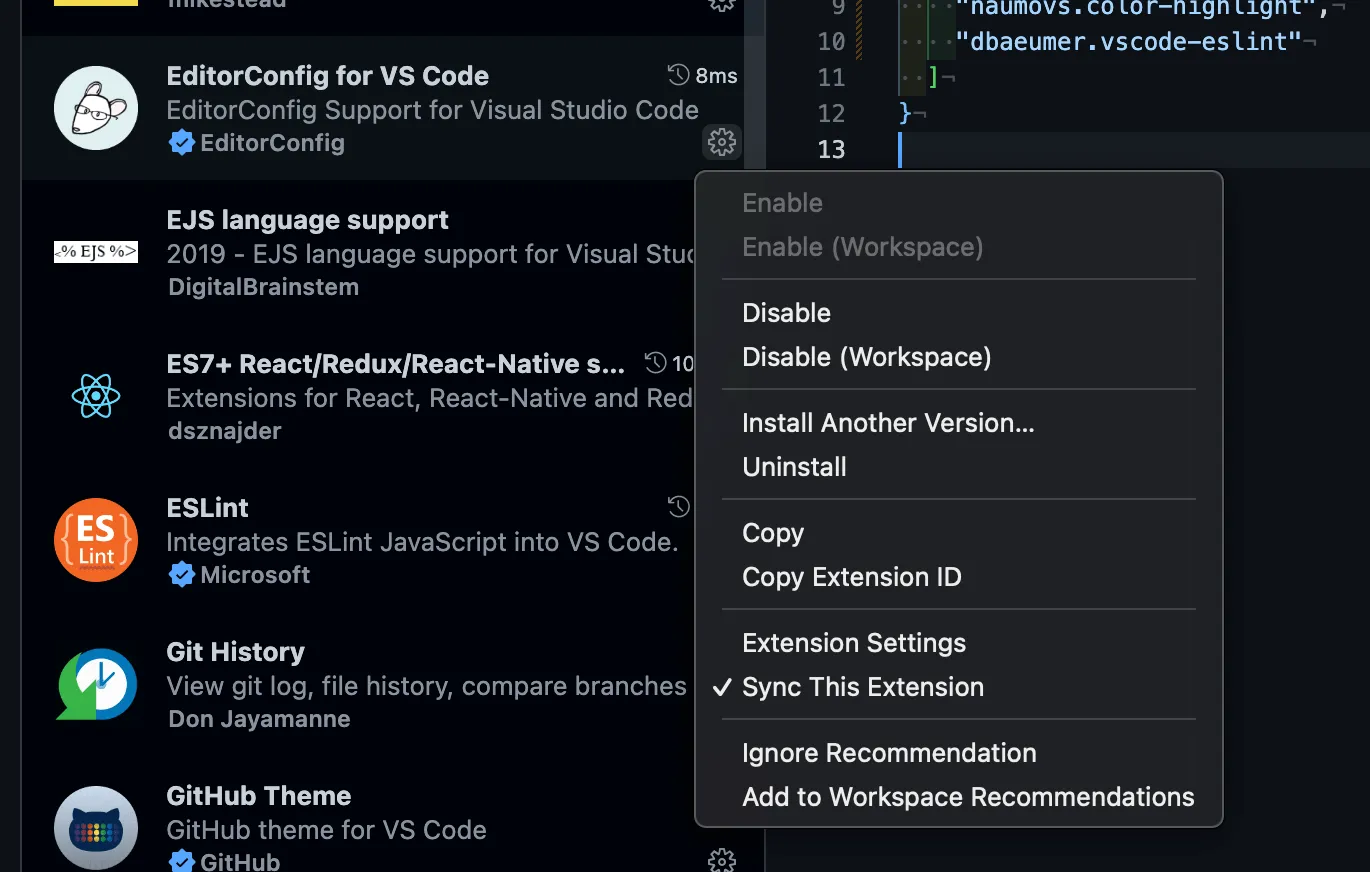
The recommendation to install Nx console is already added to your .vscode/extensions.json file, so it should appear in your Extensions tab under the Recommended window.
I will also add some of the extensions I use daily to my list of recommended extensions.
I could type in their IDs directly into the JSON file manually.
I can also search the extensions and press the Add to Workspace Recommendations file directly from the UI. The extension IDs are added to the .vscode/extensions.json file automatically.
This is how my .vscode/extensions.json file looks like
I will also instruct the VSCode editor to fetch the schema of the JSON file so that I can get a neat explanation of what the various property means. To do that, I will add a new file .vscode/settings.json.
To ensure the git hooks are installed automatically if you move systems or when someone else works on your repository, you need to add the following command to your scripts in package.json
"scripts": {
"prepare": "husky install"
},
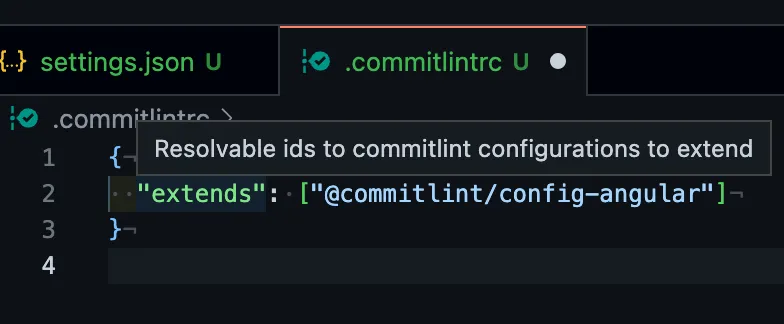
Before committing the above changes, we should add our own commitlint config. I foresee using the following config for the coming time, so I will add it manually. This is what my .commitlintrc will look like.
“I can’t see a way through”, said the boy.
“Can you see your next step?”
“Yes”
“Just take that,” said the horse.
The Boy, the Mole, the Fox and the Horse
I have been going over this for long, and it is high time I do this. Rephrasing, It would be a waste of my time if I don’t do this!
I have been a developer for most of the last 13 years. I have built tools and libraries consumed primarily internally at my company, Statusbrew.
I used to be active in building communities of creators, developers, and startup/small business owners in my home city. I had many occasions to meet new people and share knowledge with them. We were also covered frequently by the local press. Many people in our city knew about us and were following our work.
After the pandemic started, I passed on the opportunity to become active in the social space as I focused on sales and revamping our web and mobile applications. It’s been nearly 2 years since I also gave up even on talking to my own customers and delved deeper into coding behind my work desk. That closed work focus was the need of the time, but now most of the hard work is done.
I have temporarily moved to Prague and have spent a significant chunk of the last 2 years here but working from home. I moved to a co-working space in November and saw my communication and social circle improve. I am inspired by the tech talks I get to attend nowadays, and I envision being part of the core community soon.
It was not easy getting back within groups of people and talking. Often I find myself in the situation I was in 12 years ago when I moved to Japan – my accent and the words I use are hard for people to understand. I am also stumbling during simple discussions. This is due to the lack of social interactions in the last years.
So things need to change. I needed push myself to become more active virtually and in daily dealings for my growth.
Every day, I work on exciting solutions, designs, and architecture that goes into building a complex application. A portion of that knowledge gets shared with my team, but most of it gets lost as I move on to the next problem.
Occasionally, I get to attend tech meetups and discuss challenges with other developers. Most expressed excitement when they learn about some unique designs we have worked on our with our application architecture. I reciprocated similarly when I learned something new from them.
I started to take small steps of knowledge sharing and technical discussions in my current workspace. When I am stuck, I reach out to developers in the space; those discussions have benefitted me.
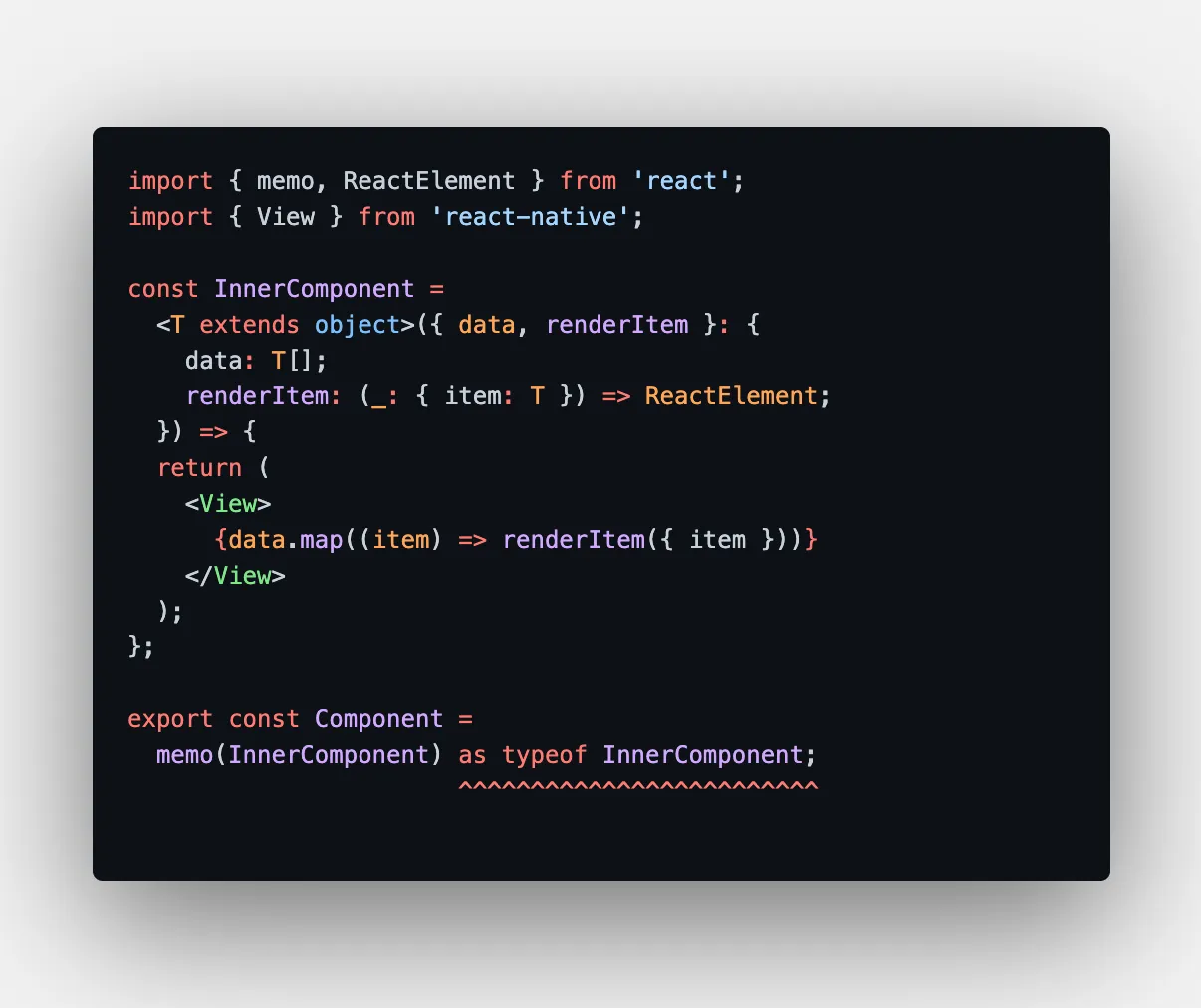
A simple example:
I could find a workaround for using Components with Generics and memo (or even forwardRefs) that helped enforce strict type definitions in my component designs. This solution was given by a fellow react developer in my coworking space.
There is no doubt that writing and speaking skills are incredibly essential nowadays. We have infinite thoughts, though a majority of them are banal. But there are many ideas that, when shared, can lead to meaningful interactions and connections.
During all that hustle in the last 3 years, I hadn’t been reading, writing, or engaging in public communication. Recently, I had moments when it was hard to express myself and communicate well.
With this challenge, I will focus on articulating and publishing a daily post, however small it will be, on this blog under the #100daysofcode tag.
I will discuss javascript, typescript, mono repo, angular, react, and architecture designs. Currently, I do not plan to publish open-source libraries, but I would love to release something helpful to others whenever possible.
I will also use various tools and modes to share knowledge, an upcoming github monorep, Expo Snacks & gists. I also plan to publish a mundane looking timelapse of one of my daily pomodoro sessions on the @ramenhacker Instagram page.
Without a doubt, my work at Statusbrew has and will likely continue to precede other initiatives. However, I want to push myself to pursue other interests, knowing that now it’s more possible to do so than ever before.
My tentative time divisions would be as follows:
Statusbrew (8 – 10 hours)
Publish a readable gist/snack/monorep (0.5 hour)
Timelapse reel (0.5 hour)
Daily progress report blog post (1 hour)
Undoubtedly, I won’t have the same bandwidth to strictly follow the above time allocation. I reckon it will be a tentative time division when looked at over the course of a week or month.
This blog has taken me about 4 hours to write! Of course, I don’t intend to write lengthy monologues every day. But I don’t want to take more than 20-30 minutes to write the next set of posts
In the coming week, I will set up a high-level plan of action and milestones leading toward my goal.
Tomorrow, I will set up and publish a monorepo with my frequently used configs, such as .dotfiles, eslint, and prettier. Soon, I will be writing about Angular, React, Vite, Monorepo architecture, and the best practices we have implemented.
From Starbucks in front of the Astronomical Clock in Prague
This challenge will not solve all my communication problems. But it sure will help improve it a little bit. So I am taking the next step.